


I hope everyone has had a fantastic time during this festive period, you’ve maybe become the owner of some fantastic new gifts, talking about ownership (see what I did there) I want to share a quick final post of the year about copying the owner from one record to another.
I’ve come across the requirement to copy the owner from one record to another several times. Mappings can achieve this, if you always want it to copy at creation for every scenario, however in some cases you want this to happen again after a modification, or to only occur under certain conditions.
In this case, Power Automate can be used to carry out the action, however it can be easy to forget that both teams and users can own records.
Copying the Owner in an Update Action
I’ve seen previous implementations of this, where the flow is hardcoded to copy the owning user to another record, as shown below
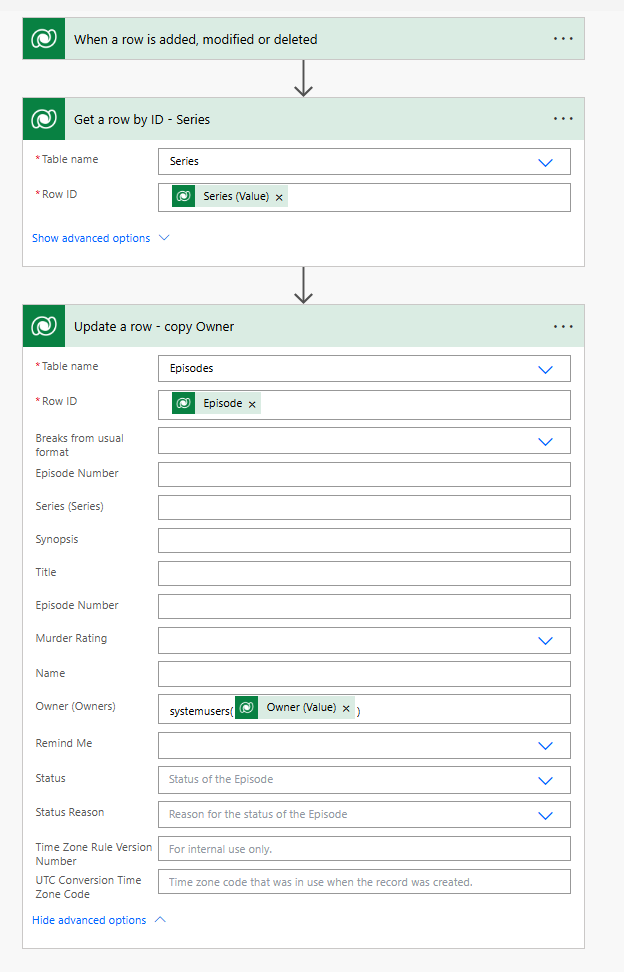
The issue is, if the record is owned by a team then the flow results in an error, as a system user can’t be found with the GUID supplied.
You could use conditions, to either assign to a team or a user, however there is a simpler solution, that doesn’t need any additional steps.
Using the Owner Type as well as the Value
When you try to select the Owner, from the record you are copying from, you will see two options – the Owner (Type) and the Owner (Value), the Value is the GUID which we are already using.
If you use the Owner (Value) you’ll either get team or systemuser which we can use to our advantage.
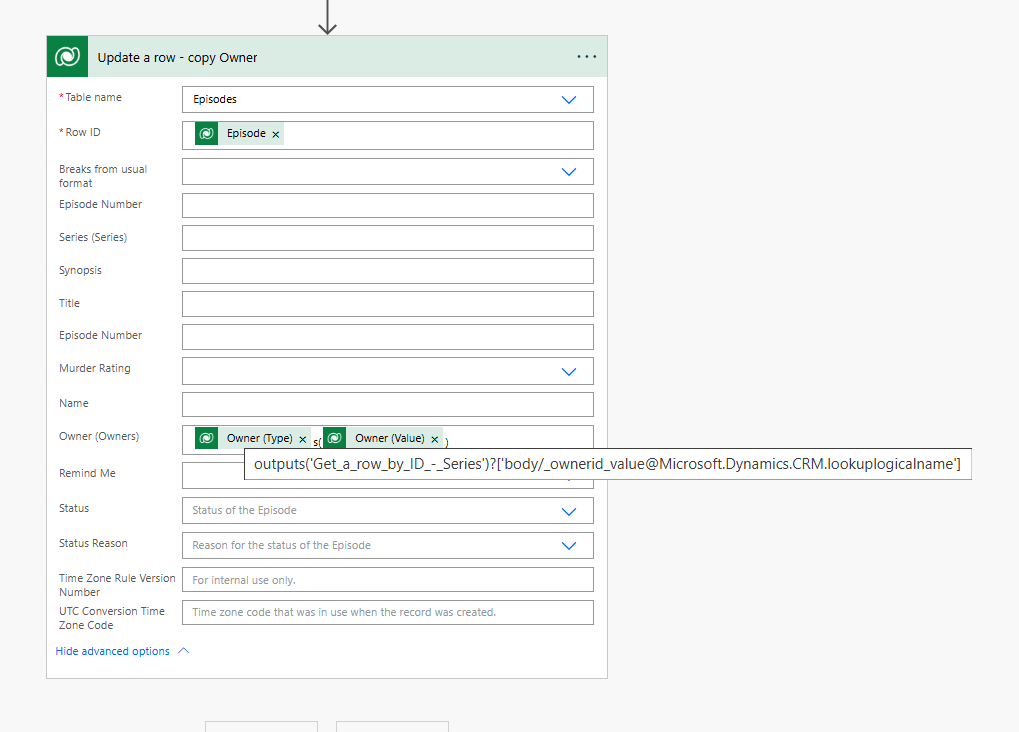
If you add it to the owner column, and add a ‘s‘ after it – before your (Owner (Value)) – then it works for records owned by teams and users! Happy days and a happy flow which can easily deal with both record types!
I’ll be back in the new year with more blog posts, see you soon.