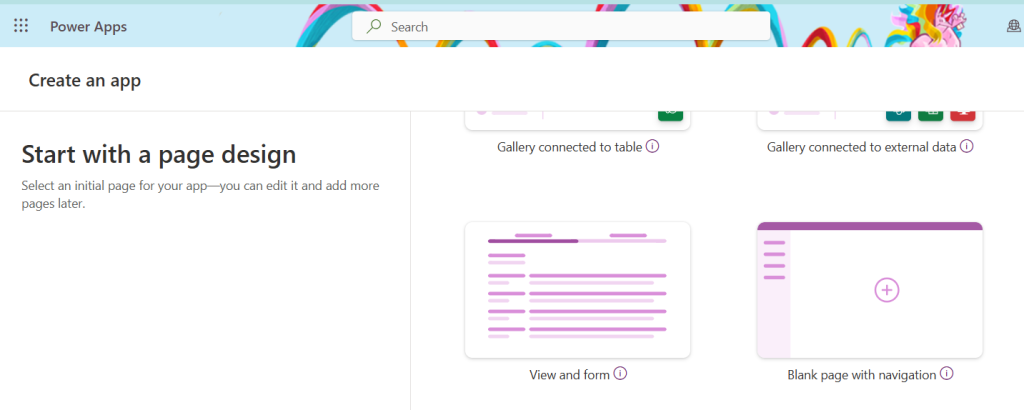


Happy New Year, hopefully 2025 brings fab things to you all! With the new year, you might be wanting to create a new model driven-app… However the interface on make.powerapps seems to be very much geared towards Canvas apps lately, and it can be tricky to find out how to create a new one.
Solutions
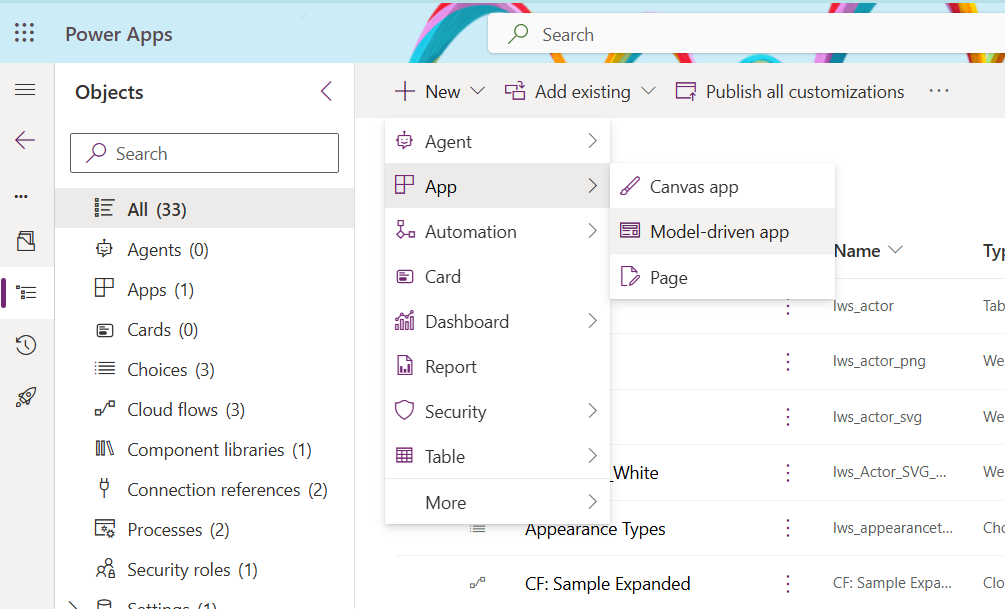
If you are using a solution for your project, then it’s pretty simple to create a new model driven app.
From within your solution, if you click to create a New item, then look under the App menu, you’ll see Model-driven app is an option alongside Canvas app.
In the App Area
If you aren’t in a solution, and you want to create the app outside of one, clicking on the Apps section, and New app gives several options, and none seem obvious for a model driven app.
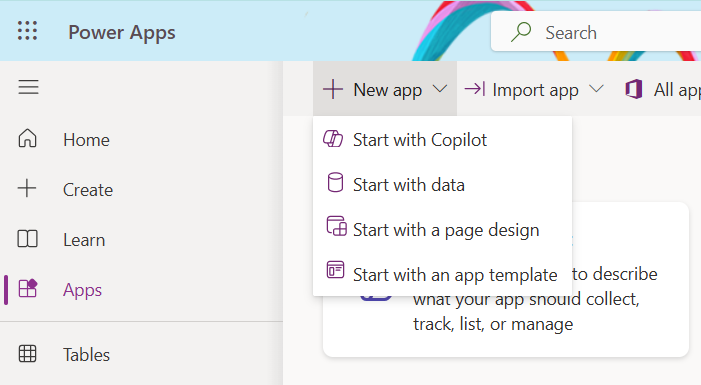
Clicking on ‘Start with a page design‘ has a number of options, that again seem mostly geared towards Canvas apps, however the two options ‘View and form’ and ‘Blank page with navigation’ both lead you to create a Model Driven app from scratch.